Executing the Job and checking the result
-
Press Ctrl+S to save the Job, and press
F6 or click Run on the Run tab to run
the Job. -
In the address bar of your Web browser, enter the URL of the Neo4j
database browser,http://localhost:7474/in this example, and
enter the following Cypher query in the command line to view the Person and Family nodes linked via the relationship From:1MATCH (a:Person)-[:`From`]->(b:Family) RETURN a,b;As shown in the graphic view, nodes labeled Family and Person have
been created and the nodes of persons from the same families are linked with
the relevant Family nodes via the
relationship From.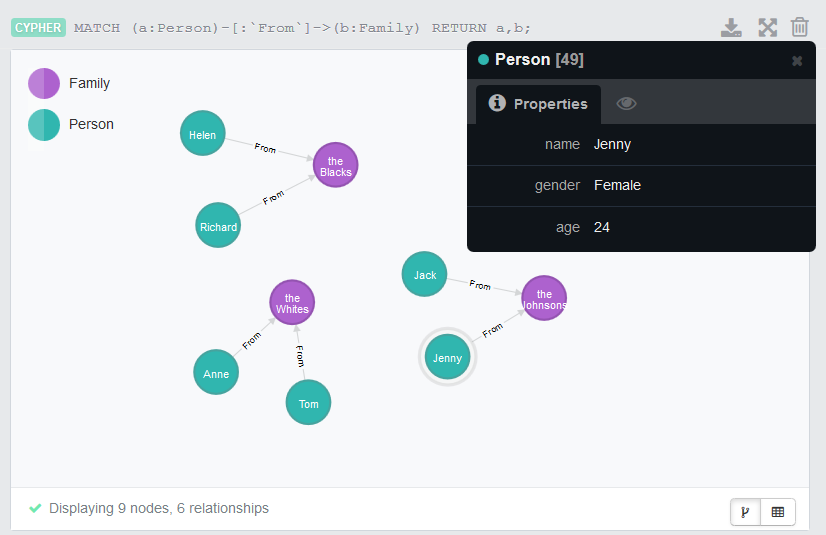
Document get from Talend https://help.talend.com
Thank you for watching.
Subscribe
Login
0 Comments