Exporting data from a Riak bucket to a local file
-
Double-click tRiakInput to open its
Basic settings view in the Component tab.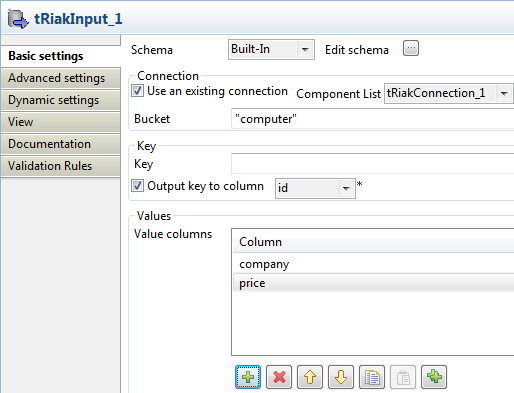
-
Click Edit schema to define the structure
of exported data. In this example, three columns are defined: id, company,
and price.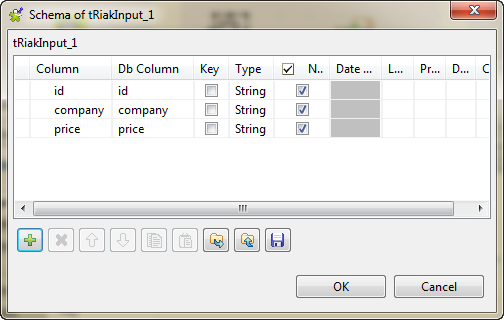
-
Select the Use an existing connection
check box and then select the connection you have configured earlier. In
this example, it is tRiakConnection_1. -
In the Bucket field, enter the name of
the bucket from which the data will be exported, computer in this example. -
Select the Output key to column check box
, and select the desired column from the list. id is selected in this example. -
In the Value columns table, click twice
the
button and select company and price from
the list respectively.
Document get from Talend https://help.talend.com
Thank you for watching.
Subscribe
Login
0 Comments