Generating the data records to be loaded into a business entity
-
Double click tFixedFlowInput to open its
Basic settings view.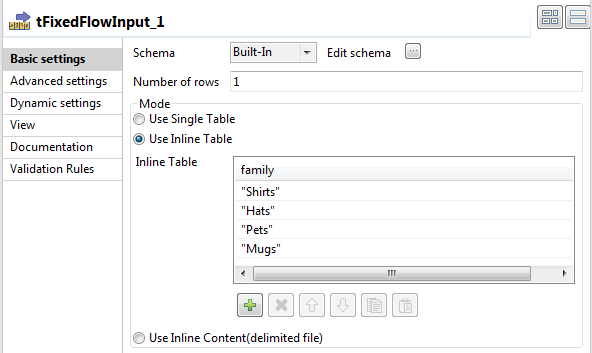
-
Click the […] button next to Edit schema to open the schema editor.
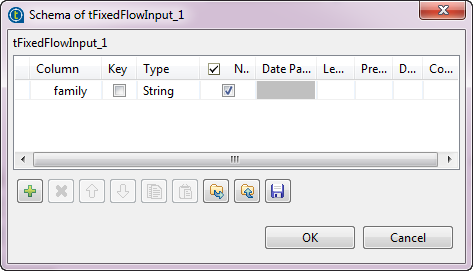
-
In the schema editor, click the [+] button to
add one row. -
Name the new column, family in this
example. - Click OK to close the schema editor.
-
In the Mode area of the Basic settings view, select the Use Inline
Table option. -
Click the [+] button four times to add four
rows in the table. -
In the inline table, click each of the added rows and then enter their names
between quotes: Shirts, Hats,
Pets, and Mugs.
Document get from Talend https://help.talend.com
Thank you for watching.
Subscribe
Login
0 Comments