Selecting the columns of interest
The schema of tRuleSurvivorship includes several
technical columns like GID, GRP_SIZE, which are not interesting in this example, so you may need
to use tFilterColumns to rule these technical
columns out and leave the columns carrying actual data to be output. To do this,
proceed as follows:
-
Double-click tFilterColumns to open its
Component view. -
Click Sync columns to retrieve the schema
from its preceding component. If a dialog box pops up to prompt the
propagation, click Yes to accept it. -
Click the three-dot button next to Edit
schema to open the schema editor. -
On the tFilterColumns side of this
editor, select the GID, GRP_SIZE, MASTER
and SCORE columns and click the red cross
icon below to remove them.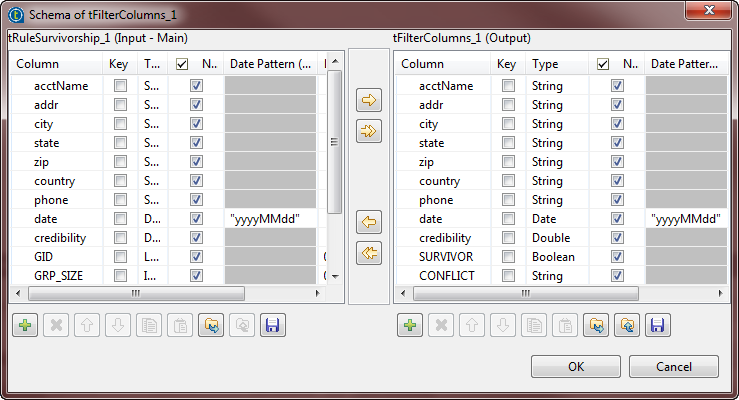
-
Click OK to validate these changes and
accept the propagation prompted by the pop-up dialog box.
Document get from Talend https://help.talend.com
Thank you for watching.
Subscribe
Login
0 Comments