Set the input component
-
Double-click the tFileInputDelimited
component to open its Basic settings
view.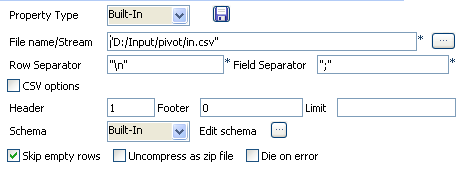
-
Browse to the input file to fill out the File
Name field.The file to use as input file is made of 3 columns, including:
ID, Question and the
corresponding Answer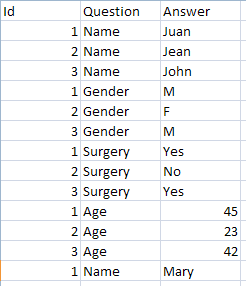
-
Define the Row and Field separators, in this example, respectively: carriage
return and semi-colon - As the file contains a header line, define it also.
-
Set the schema describing the three columns: ID,
Questions, Answers.
Document get from Talend https://help.talend.com
Thank you for watching.
Subscribe
Login
0 Comments