Accessing the selected data
-
Double-click tCacheOut to open its
Component view.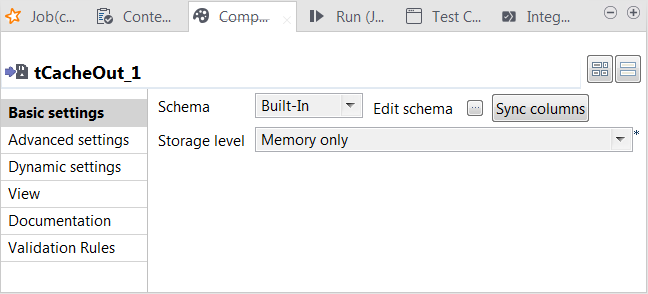 This component stores the selected data into the cache.
 -
Click the […] button next to Edit
schema to open the schema editor to verify the schema is identical to
the input one. If not so, click Sync
columns. -
On the output side of the schema editor, click the

button to export the schema to the local file system and
click OK to close the editor. -
From the Storage level list, select Memory only.
For further information about each of the storage level, see https://spark.apache.org/docs/latest/programming-guide.html#rdd-persistence.
-
Double-click tCacheIn to open its
Component view.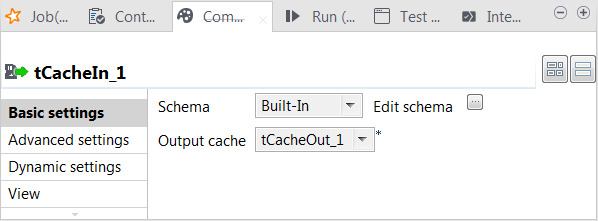
-
Click the […] button next to Edit
schema to open the schema editor and click the
button to import the schema you exported in the previous
step. Then click OK to close the editor. -
From the Output cache list, select the
tCacheOut component from which you need to read
the cached data. At runtime, this data is loaded into the lookup flow of the
Subjob that is used to process the web-click log.
Document get from Talend https://help.talend.com
Thank you for watching.
Subscribe
Login
0 Comments