Configuring the first tXMLMap component
-
Connect tRESTRequest to a tXMLMap using the Row > GetOneUser
connection. -
Double-click tXMLMap in the design workspace
to open the Map Editor.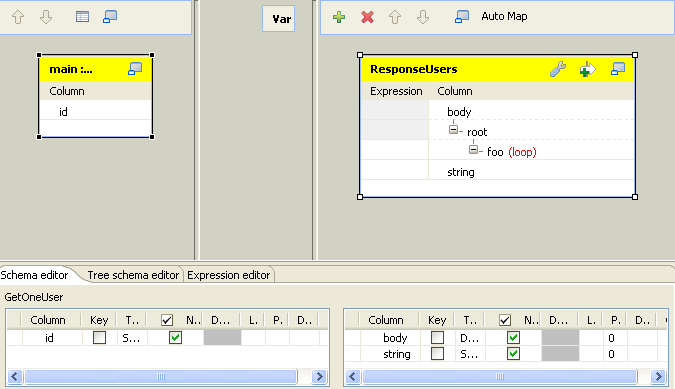
-
Click the [+] button on the top right to add
an output and name it as ResponseUsers. -
Click the [+] button on the bottom right to
add two columns for the output.Name the first column as body and set the Type to Document.Name the second column as string and set the Type to String. -
Right-click on the node root and select
Create Sub-Element to create a sub-element.
Name the sub-element as foo in the popup dialog box. -
Right-click on the foo node created in the previous step
and select As loop element. -
Select the id column of the GetOneUser table to the left and drop it onto the
Expression field of the foo node of the ResponseUsers table to the right.
- Click OK to save the settings.
Document get from Talend https://help.talend.com
Thank you for watching.
Subscribe
Login
0 Comments