Configuring the MDM server connection
In this scenario, a tMDMConnection component is used to
open an MDM server connection for convenient reuse in the subsequent subjob that performs
the data record deletion task.
-
Double-click tMDMConnection to display its
Basic settings view and define the component
properties.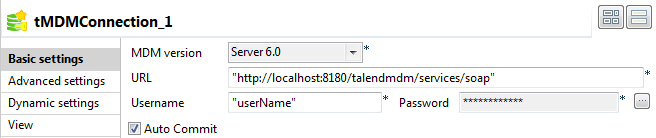
-
In the URL field, enter the MDM server URL, between
quotation marks: for example,
“http://localhost:8180/talendmdm/services/soap”. -
In the Username and Password fields, enter your user name and password to connect to the MDM
server. -
Double-click tMDMCommit to display its Basic settings view and define the component properties.
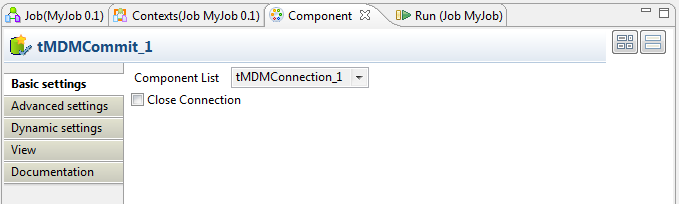 This component commits the changes made to the database on successful completion of
the proceeding subjob. -
From the Component List list, select the component
for the server connection you want to close if you have configured more than one MDM
server connection. In this use case, there is only one MDM server connection open, so
simply use the default setting. -
Deselect the Close Connection check box if it is
selected. In this example, the tMDMClose component
closes the connection to the MDM Server. -
Double-click tMDMRollback to display its Basic settings view and define the component properties.
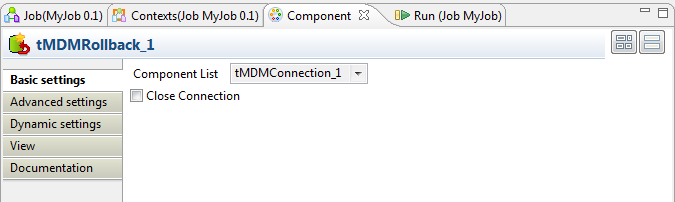 This component rolls back any changes and returns the database to its previous state
if the proceeding subjob fails. -
From the Component List list, select the component
for the server connection you want to close if you have configured more than one MDM
server connection. In this use case, there is only one MDM server connection open, so
simply use the default setting. -
Deslect the Close Connection check box if it is
selected. In this example, the tMDMClose component
closes the connection to the MDM Server. -
Double-click tMDMClose to display its Basic settings view and define the component properties.
The tMDMClose component is used to close the
connection after the successful execution of the Job. You can also close the
connection by selecting the Close Connection check
box in the tMDMCommit and tMDMRollback components, but for the purposes of this scenario the
tMDMClose component is used instead.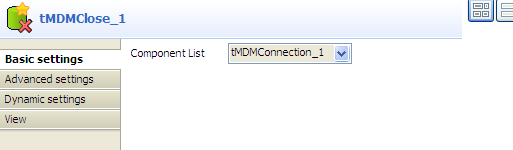
-
From the Component List list, select the component
for the server connection you want to close if you have configured more than one MDM
server connection. In this use case, there is only one MDM server connection open, so
simply use the default setting.
Document get from Talend https://help.talend.com
Thank you for watching.
Subscribe
Login
0 Comments