Configuring the tPigCode component
-
Double-click tPigCode component to open
its Basic settings view.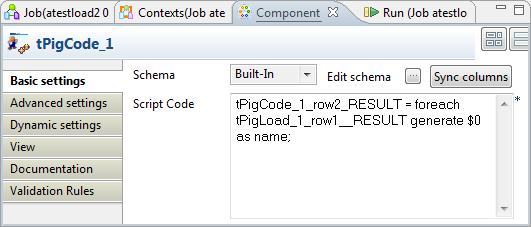
-
Click Sync columns to retrieve the schema
structure from the preceding component. -
Fill in the Script Code field with
following expression:This1tPigCode_1_row2_RESULT = foreach tPigLoad_1_row1_RESULT generate $0 as name;
filter expression selects column Name from
CustomerList.
Document get from Talend https://help.talend.com
Thank you for watching.
Subscribe
Login
0 Comments