Connecting to MongoDB
-
Double-click tMongoDBConnection to open its
Component view.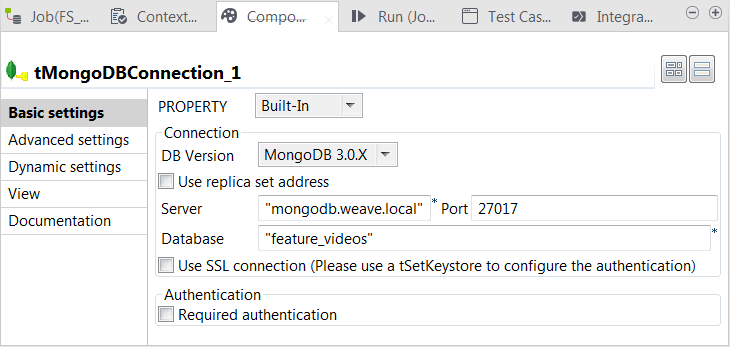
-
From the DB version list, select the MongoDB
version you are using. -
In the Server and Port
fields, enter the authentication information required for the connection to
MongoDB.If you use the host name of the MongoDB server, ensure that you have added the
mapping between this host name and its IP address in the hosts file of the operating system in which the current Job is
executed. -
In the Database field, enter the name of the database
hosting GridFS. This database is created on the fly if it dose not exist.
Document get from Talend https://help.talend.com
Thank you for watching.
Subscribe
Login
0 Comments