Copying a file to the newly created folder
-
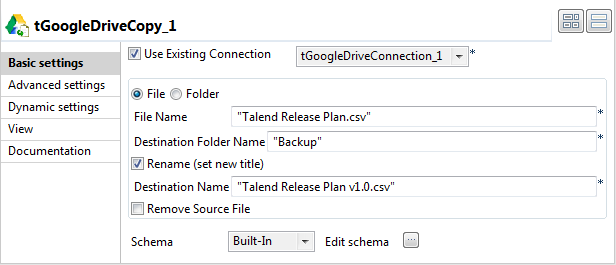
Double-click tGoogleDriveCopy to open its Basic settings view in the Component tab.
-
Select the Use Existing Connection check
box and from the list that appears select the component you have configured
to open your Google Drive connection. -
In the File Name field, enter the name of
the file to be copied. In this example, it is Talend
Release Plan.csv. -
In the Destination Folder Name field, enter the name of
the folder to which the file will be copied. In this example, it is
Backup. -
Select the Rename (set new title) check box, and in the
Destination Name field that appears
enter a new name for the file after being copied to the destination folder.
In this example, it is Talend Release Plan
v1.0.csv. -
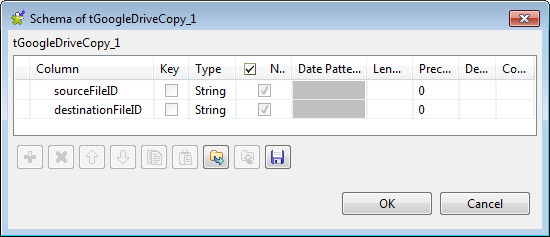
Click the […] button next to Edit schema to view the predefined schema of tGoogleDriveCopy.
-
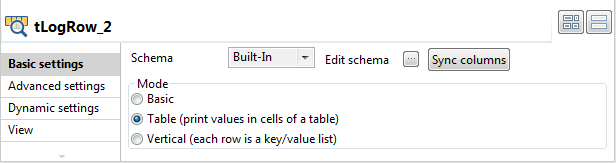
Double-click the second tLogRow to open its Basic settings view in the Component tab.
-
In the Mode area, select Table (print values in cells of a table) for a
better display of the results.
Document get from Talend https://help.talend.com
Thank you for watching.
Subscribe
Login
0 Comments