Creating the DRL rule template
-
In the Repository tree view, expand
Metadata > Rules management. -
Right-click Embedded Rules and select
Create Rule.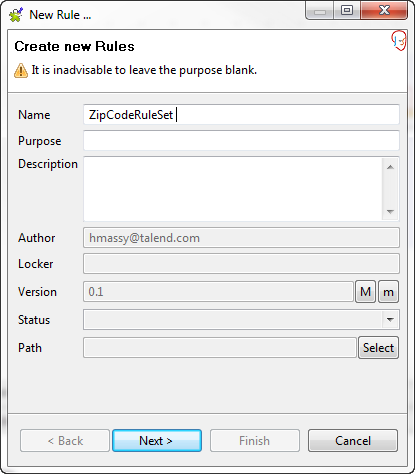
-
In the open wizard, enter a name for the rule template, fill in its
settings as needed and click Next.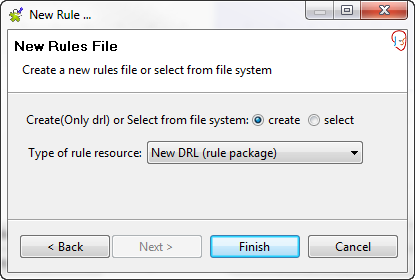
-
Select the Create option and from the
Type of rule resource list, select
New DRL. -
Click Finish.
A rule template is created and opened in a rule editor in the workspace.
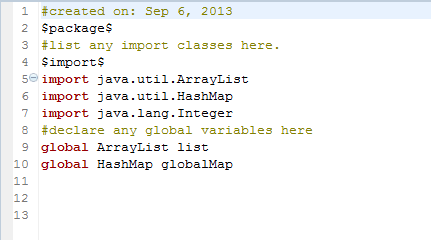
This rule template is embedded in a tRules
component. You can define one or several DRL rules in the template from inside the
tRules component.
Document get from Talend https://help.talend.com
Thank you for watching.
Subscribe
Login
0 Comments