Defining the input data
-
Double-click tFixedFlowInput to open its
Basic settings view.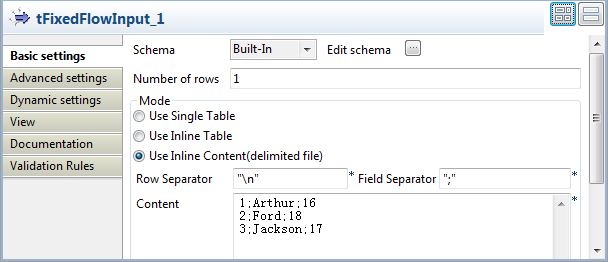
-
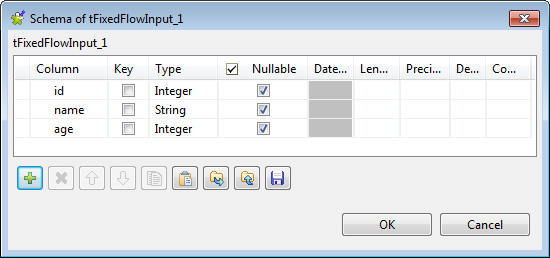
Click the […] button next to Edit schema to open the schema editor.
-
In the schema editor, click the [+]
button to add three columns: id of the
interger type, name of the string type,
and age of the integer type. -
Click OK to validate the changes and
accept the propagation prompted by the pop-up [Propagate] dialog box. -
In the Mode area, select Use Inline Content (delimited file) and enter the
following personal information in the Content field.1231;Arthur;162;Ford;183;Jackson;17
Document get from Talend https://help.talend.com
Thank you for watching.
Subscribe
Login
0 Comments