Defining the properties of tHMapFile
-
In the Job, select the tHMapFile component to define its
properties.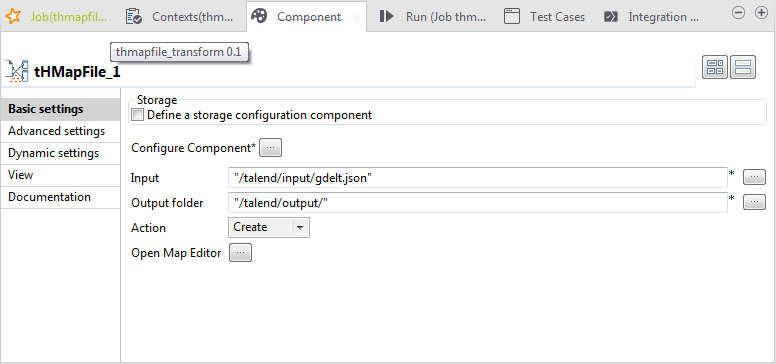
-
Select the Define a storage configuration
component check box and then select the name of the component to use
from those available in the drop-down list, tHDFSConfiguration_1 in this example.Note that if you leave the Define a storage configuration
component check box unselected, you can only transform files
locally. -
Click the […] button and, in the [Component Configuration] window, click the Select button next to the Record
Map field. -
In the [Select a Map] dialog box that opens,
select the map you want to use and then click OK.
In this example, use the json2xml map you just
created. - Click Next.
-
Select an appropriate record delimitor for your data that tells the component
where each new record begins.In this example, each record is on a new line, so select Separator and specify the newline character,
in this example. - Click Finish.
- Click the […] button next to the Input field to define the path to the input file, /talend/input/gdelt.json in this example.
-
Click the […] button next to the Output field to define the path to where the output file is
to be stored, /talend/output in this
example. - Leave the other settings unchanged.
Document get from Talend https://help.talend.com
Thank you for watching.
Subscribe
Login
0 Comments