Deleting an Amazon SQS queue
Configure the tSQSQueueDelete
component to create an Amazon SQS queue.
component to create an Amazon SQS queue.
-
Double-click the tSQSQueueDelete
component to open its Basic settings view.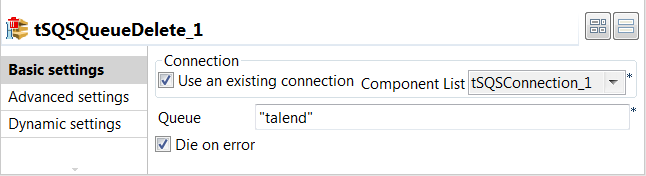
-
Specify the connection details required to access Amazon SQS. In this
example, select the Use an existing connection
check box and from the Component List drop-down
list displayed, select the connection component to reuse its connection details you
have already defined. -
In the Queue field, enter the name for
the queue to be deleted. In this example, it is talend.
Document get from Talend https://help.talend.com
Thank you for watching.
Subscribe
Login
0 Comments