Loading the main input file
-
Double-click tPigLoad to open its
Basic settings view.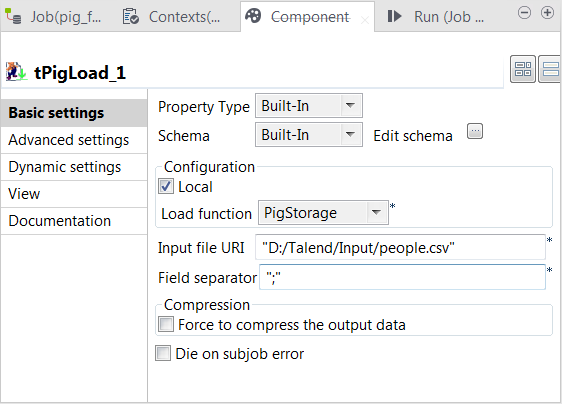
-
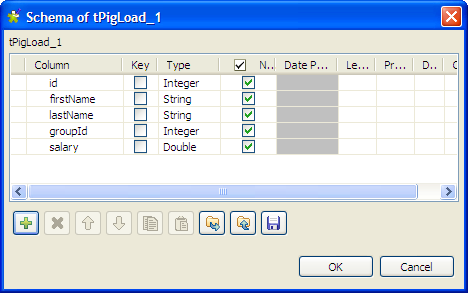
Click the […] button next to Edit schema to open the [Schema] dialog box.
-
Click the [+] button to add columns, name
them and define the column types according to the structure of the input
file. In this example, the input schema has five columns: id (integer), firstName (string), lastName (string), groupId (integer), and salary (double).Then click OK to validate the setting and
close the dialog box. - Click Local in the Mode area.
- Select PigStorage from the Load function list.
-
Fill in the Input file URI field with the
full path to the input file, and leave the rest of the setting as they
are.
Document get from Talend https://help.talend.com
Thank you for watching.
Subscribe
Login
0 Comments