Mapping output data
-
Double-click the second tMap to open the
Map Editor.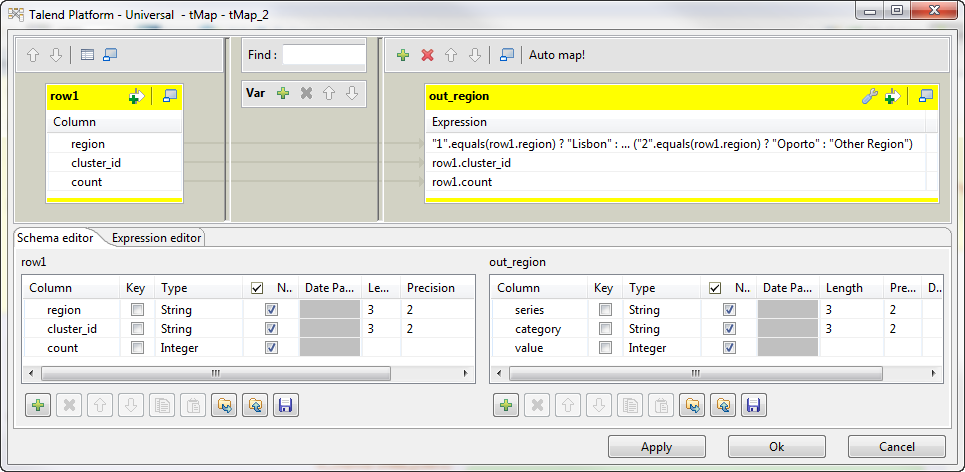
-
Drop the region, the clusterID
and the count columns to the output table that
corresponds to the first HDFS file. - Click OK to validate changes.
-
Double-click the third tMap to open the
Map Editor.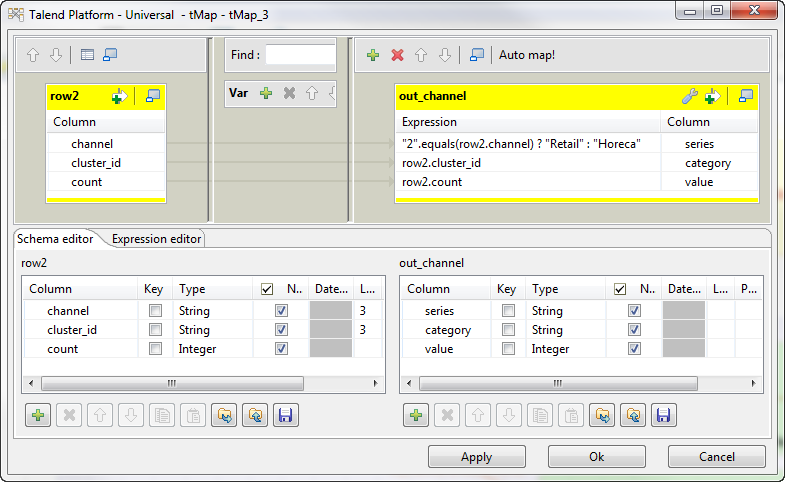
-
Drop the channel, the clusterID
and the count columns to the output table that
corresponds to the second HDFS file. - Click OK to validate changes.
Document get from Talend https://help.talend.com
Thank you for watching.
Subscribe
Login
0 Comments