Populating data in a MySQL database table
-
Double-click tFixedFlowInput to open its
Basic settings view.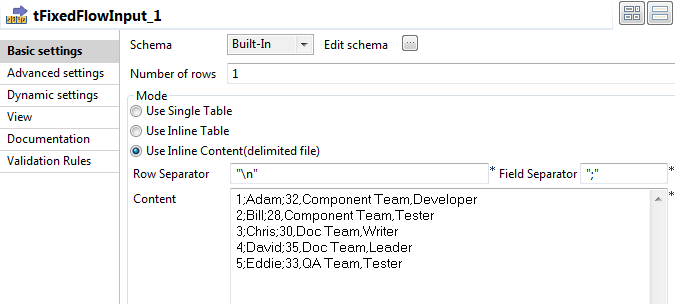
-
Click the […] button next to Edit schema and in the pop-up window define the
schema by adding three columns: Id of Integer
type, and Name and DelimitedField of String type. Click OK to close the schema editor and
accept the propagation prompted by the pop-up dialog box. -
In the Mode area, select Use Inline Content(delimited file). Then in the
Content field displayed, enter the data to
write to the database. This input data includes a delimited string column. In
this example, the input data is as follows:123451;Adam;32,Component Team,Developer2;Bill;28,Component Team,Tester3;Chris;30,Doc Team,Writer4;David;35,Doc Team,Leader5;Eddie;33,QA Team,Tester -
Double-click tMysqlOutput to open its
Basic settings view.
-
Fill the Host, Port, Database, Username, Password
fields with the MySQL database connection information. -
Fill the Table field with the name of the
table to be written. In this example, it is employee. -
Select Drop table if exists and create from
the Action on table list. -
Double-click the first tLogRow to open its
Basic settings view.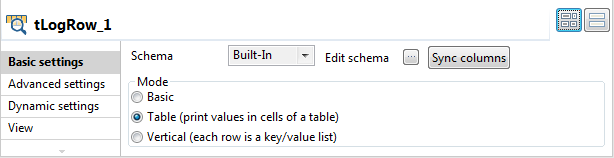 In the Mode area, select Table (print values in cells of a table) for better
readability of the result.
Document get from Talend https://help.talend.com
Thank you for watching.
Subscribe
Login
0 Comments