Preparing the unstructured data
To do this, proceed as follows:
-
Double-click the tFixedFlowInput
component to display its Basic settings
view.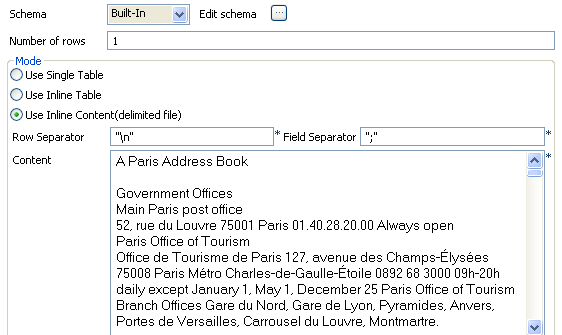
-
Click the […] button to open the
[Schema] dialog box, click the
[+] button to add a column, and name it
input. Then, click OK to validate and close the editor.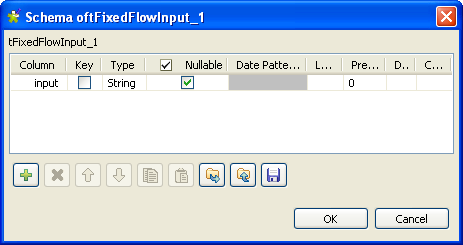
- In the Mode area, select Use Inline Content (delimited file).
-
In the Content field, paste the data
copied from the Website. This data is unstructured.
Then you can continue to configure the standardization process.
Document get from Talend https://help.talend.com
Thank you for watching.
Subscribe
Login
0 Comments