Reading data from the table in HDFS
-
Double-click tHCatalogInput to open its
Basic settings view.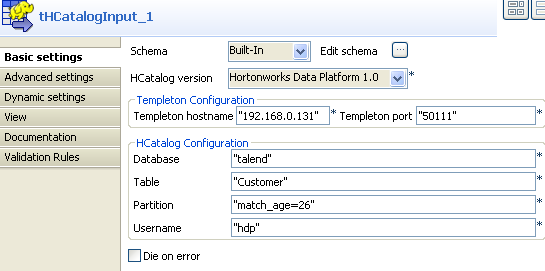
-
Click Edit schema to define the schema of
the table to be read from the database.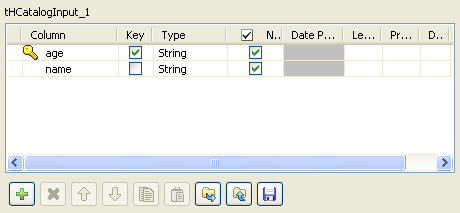
-
Click [+] to add at least one column to
the schema. In this scenario, the columns added to the schema are age and name. - Fill the Partition field with “match_age=26“.
- Do the rest of the settings in the same way as configuring tHCatalogOperation.
Document get from Talend https://help.talend.com
Thank you for watching.
Subscribe
Login
0 Comments