Set up the jdbc connection to the SAP BW server
-
Double-click the tSAPBWInput component to
open its Basic settings view and define the
component properties.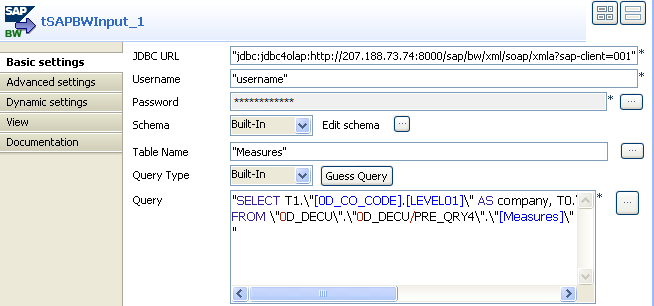
-
Fill the JDBC URL field with the URL of
your jdbc4olap server.Note that the URL displayed above is for demonstration only. -
Fill the Username and Password fields with your username and password
for the DB access authentication. -
Click the three-dot button next to Edit
schema to define the schema to be used.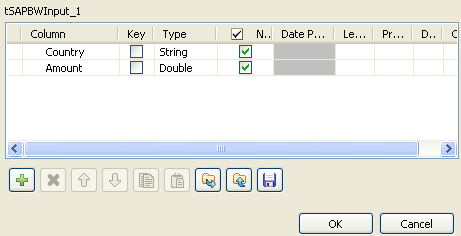
-
Click the plus button to add new columns to the schema and set the data
type for each column and click OK to save
the schema settings.
Document get from Talend https://help.talend.com
Thank you for watching.
Subscribe
Login
0 Comments