Setting up the tExtractJSONFields
-
Double-click tExtractJSONFields to
display its Basic settings view.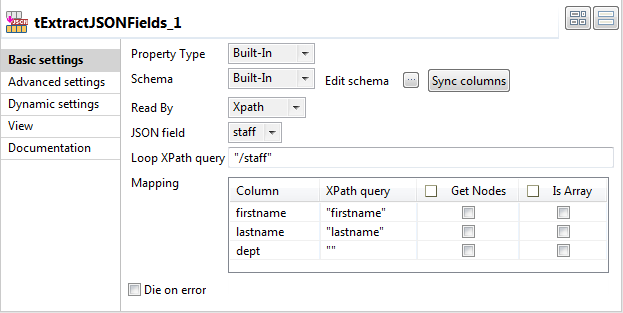
-
Click Edit schema to open the schema
editor.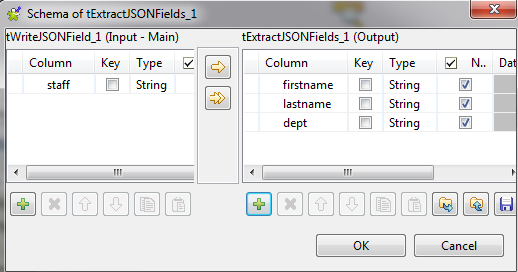
-
Click the [+] button in the right panel
to add three columns, namely firstname,
lastname and dept, which will hold the data of their counterpart nodes in
the JSON field staff.Click OK to close the editor. -
In the pop-up Propagate box, click
Yes to propagate the schema to the
subsequent components.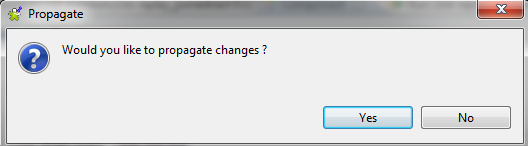
-
In the Loop XPath query field, enter
“/staff”, which is the root node of
the JSON data. -
In the Mapping area, type in the node
name of the JSON data under the XPath query
part. The data of those nodes will be extracted and passed to their
counterpart columns defined in the output schema. -
Specifically, define the XPath query “firstname” for the column firstname, “lastname” for
the column lastname, and “” for the column dept. Note that “” is not
a valid XPath query and will lead to execution errors.
Document get from Talend https://help.talend.com
Thank you for watching.
Subscribe
Login
0 Comments