Writing output data in HDFS
-
Double-click the first tHDFSOutput to
open its Component view.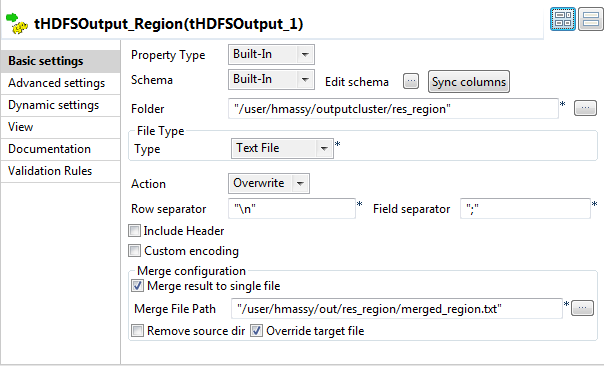
-
Click the […] button next to the
Folder field and browse to the folder
in which you want to write the region data. -
From the Type list, select the data
format for the records to be written. In this example, select Text file. -
From the Action list, select the
operation you need to perform on the file in question. If the file already
exists, select Overwrite, otherwise select
Create. -
Select the Merge result to single file
check box and enter the path, or browse to the file you need to write the
merged output data in. -
If the file for the merged data exists, select the Override target file check box to overwrite that
file. -
Double-click the second tHDFSOutput to
open its Component view.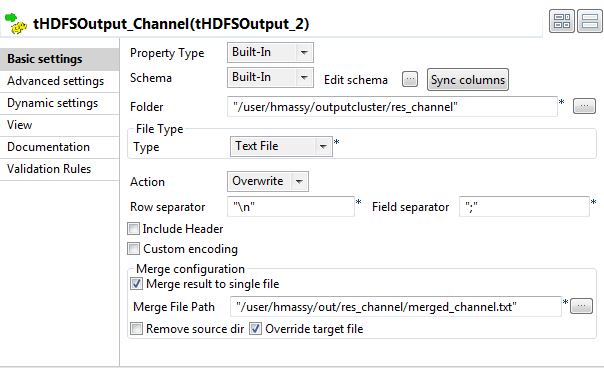
-
Define the component settings similarly to write the data about the client
channels from the second cluster to an output HDFS folder.
Document get from Talend https://help.talend.com
Thank you for watching.
Subscribe
Login
0 Comments