Writing processed data to MongoDB
-
Double-click tMongoDBOutput to open its
Component view.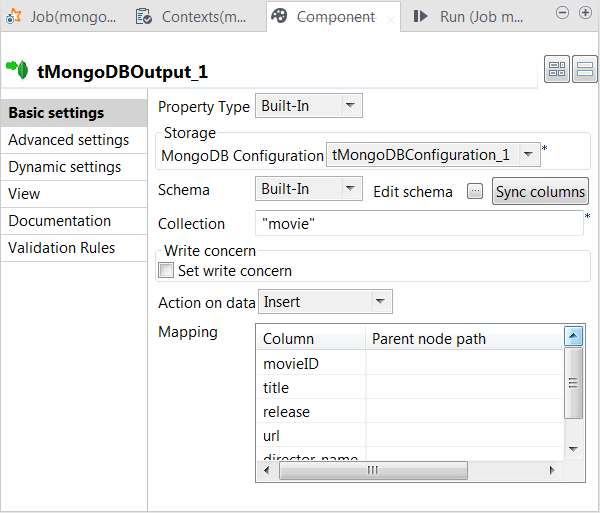
-
If this component does not have the same schema of the preceding
component, a warning icon appears. In this situation, click the Sync columns button to retrieve the schema from the
preceding one and once done, the warning icon disappears. -
In the Collection field, enter the name of
the collection to which you need to write data. If this collection does not
exist, it will be automatically created at runtime. -
From the Action on data list, select the
operation to be performed on the data. In this example, select Insert, which creates documents in MongoDB whether these
documents already exist or not and in either case, generates a new technical ID
for each of the new documents. -
Leave the Mapping table as is. This adds each
record to the root of each document.
Document get from Talend https://help.talend.com
Thank you for watching.
Subscribe
Login
0 Comments