Configuring data retrieval from hash cache and data output
-
Double-click tHashInput to display
its Basic settings view.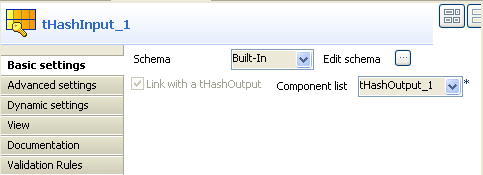
-
Select Built-In from the Schema drop-down list. Click Edit schema to define the data structure,
which is the same as that of tHashOutput. -
Select tHashOutput_1 from the
Component list drop down
list. -
Double-click tFileOutputDelimited to
display its Basic settings view.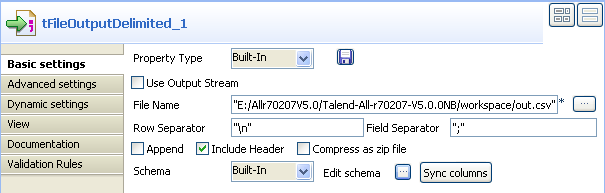
-
Select Built-In from the Property Type drop-down list. In the
File Name field, enter the full
path and name of the file, e.g. “E:/Allr70207V5.0/Talend-All-r70207-V5.0.0NB/workspace/out.csv”. -
Select the Include Header check box
and click Sync columns to retrieve the
schema from the previous component.
Document get from Talend https://help.talend.com
Thank you for watching.
Subscribe
Login
0 Comments