Configuring the output components
-
Double-click the first tLogRow to open
its Basic settings view on the Component tab.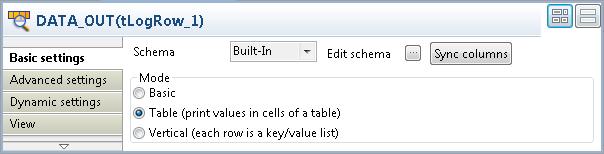
-
Click the Sync columns button to retrieve
the schema from the preceding component. -
In the Mode area, select Table (print values in cells of a table) for a
better display of the result. - Do the same to configure the second and the third tLogRow components.
Document get from Talend https://help.talend.com
Thank you for watching.
Subscribe
Login
0 Comments