Configuring the query result display and executing the Job
-
Double-click the tLogRow component to display its
Basic settings view. -
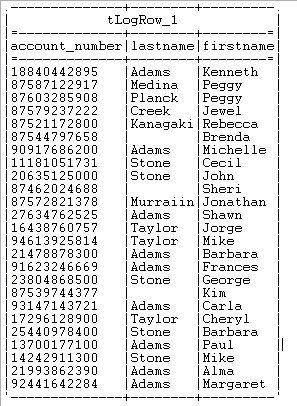
In the Mode area, select Table
(print values in cells of a table) for better readability of the result. -
Save the Job and press F6 to run it.
The staging data that matches the query conditions is displayed on the console.
Document get from Talend https://help.talend.com
Thank you for watching.
Subscribe
Login
0 Comments