Configuring the tJavaRow component
-
Double-click tJavaRow to display its
Basic settings view and define the
components properties.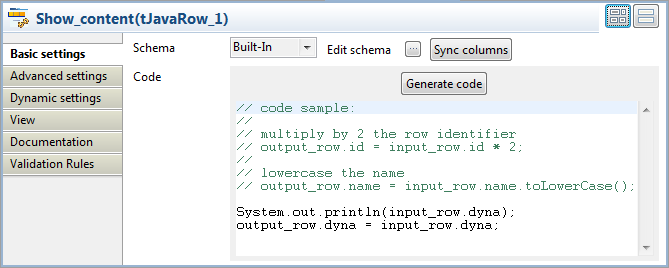
-
Click Sync columns to make sure that the
schema is correctly retrieved from the preceding component. -
In the Code field, enter the following
code to display the content of the input file and pass the data to the next
component based on the defined dynamic schema column:12System.out.println(input_row.dyna);output_row.dyna = input_row.dyna;Note:In the Code field, input_row and output_row correspond to the links to and from tJavaRow.
Document get from Talend https://help.talend.com
Thank you for watching.
Subscribe
Login
0 Comments