Configuring the tPartitioner component
-
Double-click tPartitioner to open its
Component view.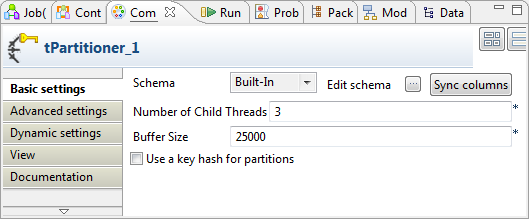
-
In the Number of Child Threads field,
enter the number of the threads you want to partition the data flow into. In
this example, enter 3 because we are
using 4 processors to run this Job. -
If required, change the value in the Buffer
Size field to adapt the memory capacity. In this example, we
leave the default one. -
Click the

button next to Edit
schema to open the schema editor.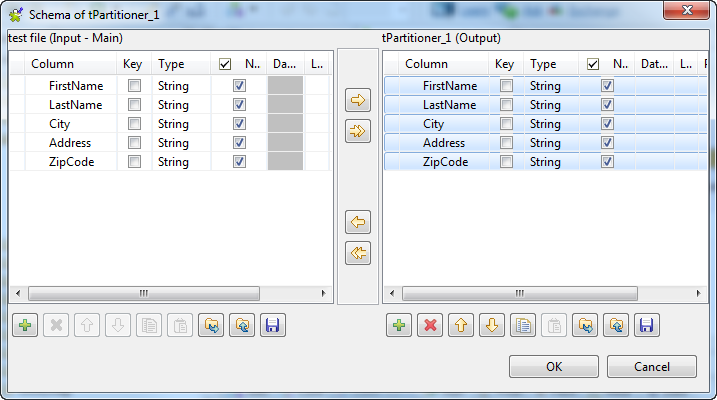
-
Select all the rows in the tPartitioner
component schema table using Ctrl or
Shift.Then the
on the toolbar is activated.
-
Click
to copy the schema selected.
Document get from Talend https://help.talend.com
Thank you for watching.
Subscribe
Login
0 Comments