Configuring the tSortRow component
-
Double-click the tSortRow to open its Basic settings view on the Component tab.
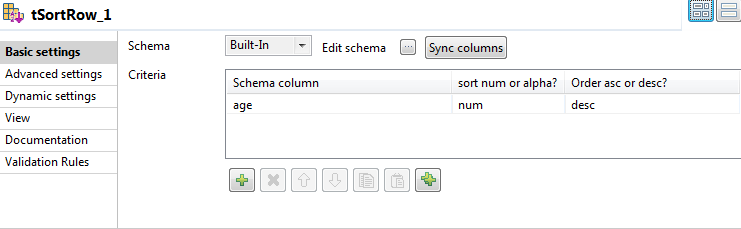
- In the Criteria table, click the [+] button to add one row.
-
In the Schema column column, select the data column
on which the sorting operation is based. In this example, select age as it is the ages that should be compared and counted. -
In the sort num or alpha? column, select the type of
sorting operation to perform. In this example, select num, which means numerical, as age contains
integer data. - In the Order asc or desc? column, select desc to display data on the console in descending order.
Document get from Talend https://help.talend.com
Thank you for watching.
Subscribe
Login
0 Comments