Configuring tXMLMap with multiple loops
-
Double-click the tXMLMap component to open its Map Editor.
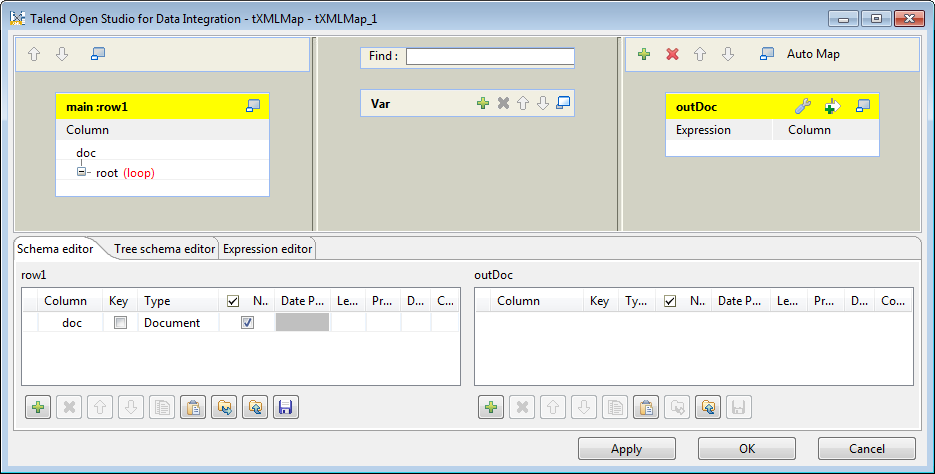 Note that the input area is already filled with the default basic XML
structure and the top table is the main input table. -
In the row1 input table, right-click the doc node and from the contextual menu select
Import From File. In the pop-up dialog box,
browse to the XML source file to import therefrom the XML structure used by the
data to be received by tXMLMap. In this
scenario, the XML source file is ProductsIn.xml, which contains the input data to tFileInputXML.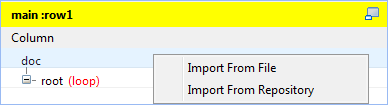
-
In the imported XML tree, right-click the manufacturer node and from the contextual menu select As loop element to set it as the loop element. Then
do the same to set the types node and the
sale node as loop elements
respectively.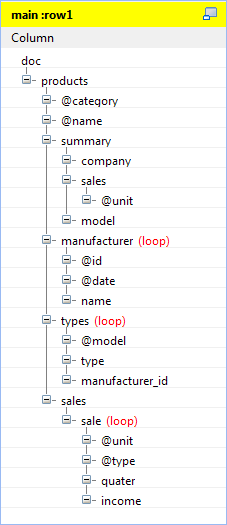
-
On the lower part of the map editor, click the Schema
editor tab to display the corresponding view. Then on the right
side of this view, add one column outDoc of
Document type to the schema table. The
corresponding XML root is added automatically to the output table on the top
right side which represents the output flow.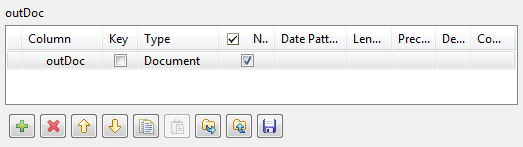
-
In the outDoc output table, import the XML data
structure to be used from the XML file that contains the expected output data
and provides the expected XML structure.Right-click the sale node in the output
table and select As loop element from the
contextual menu. Then do the same to set the manufacturer node and the types node as loop elements respectively.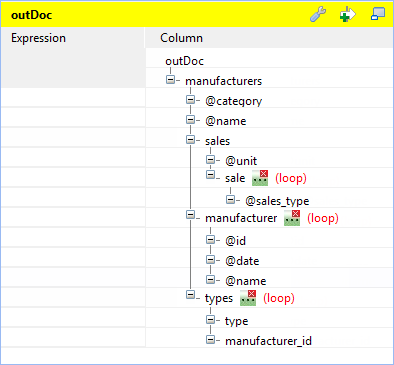
-
In the row1 input table, click the @category node and drop it to the Expression field of the @category node in the outDoc
output table.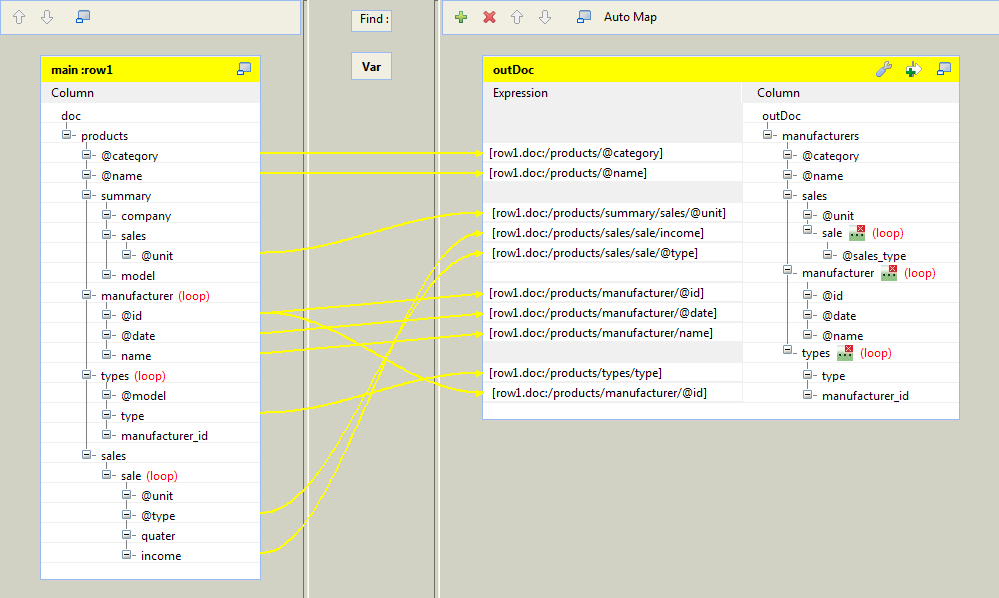
Do the same to map other nodes from the input table to the output
table:-
the @name node to the @name node,
-
the @unit node under the summary node to the @unit
node, -
the @id node to the @id node and to the manufacturer_id node respectively,
-
the @date node to the @date node,
-
the name node to the @name node,
-
the type node to the type node,
-
the @type node to the @sales_type node, and
-
the income node to the sale (loop) node.
-
-
On the top of the outDoc output table,
click the wrench icon and set the value of the All in
one property to true to generate
a single XML flow. For further information about the All
in one feature, see
Talend Studio User
Guide. -
Click the […] button next to the manufacturer loop element and in the pop-up
[Configure source loops] dialog box click
the [+] button to add one source loop manufacturer. Do the same to add one source loop
sale for the sale loop element.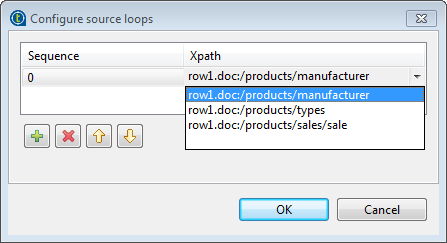
-
Click the […] button next to the types loop element and in the pop-up [Configure source loops] dialog box add two source
loops types and manufacturer. Make sure the sequence number of the types source loop is 0 so that the relative part of the output flow will be sorted
based on the values of the type
element.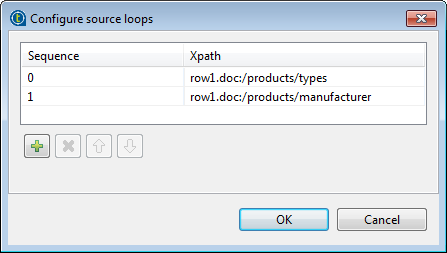 Note:
Note:When a loop element receives mappings from more than one loop element of
the input flow, it allows you to set the sequence of the input loops. For
example, the types loop element of the
output flow in this scenario is mapped with the @id node which belongs to the manufacturer loop element and the type node which belongs to the types loop element of the input flow. The output flow will
be sorted according to the primary types
loop. -
Click OK to validate the mappings and close
the Map Editor.