Creating a Job for listing Amazon SQS queues
Create a Job to open a connection to access Amazon SQS, then iterate
and list the URLs of all Amazon SQS queues in a specified region, finally display the
total number of the queues in the region.

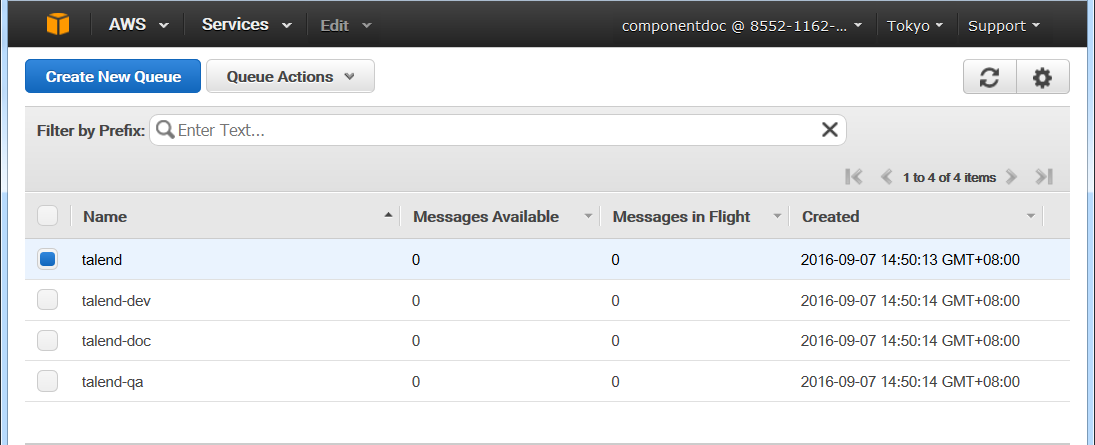
Prerequisites: You must create several Amazon SQS
queues in an AWS region in order to replicate this scenario. In this example, four
queues talend, talend-dev,
talend-doc and talend-qa have been created
in the Asia Pacific (Tokyo) region as shown in below figure.
-
Create a new Job and add a tSQSConnection component, a tSQSQueueList component, a tIterateToFlow component, a tLogRow
component, and a tJava component by typing their
names in the design workspace or dropping them from the Palette. -
Link the tSQSQueueList component to
the tIterateToFlow component using a Row > Iterate
connection. -
Link the tIterateToFlow component to
the tLogRow component using a Row > Main connection. -
Link the tSQSConnection component to
the tSQSQueueList component using a Trigger > OnSubjobOk
connection. -
Link the tSQSQueueList component to
the tJava component using a Trigger > OnSubjobOk
connection.
Document get from Talend https://help.talend.com
Thank you for watching.
Subscribe
Login
0 Comments