Extracting useful information from the table
-
Double-click the tMSSqlInput component to
open its Basic settings view in the Component tab.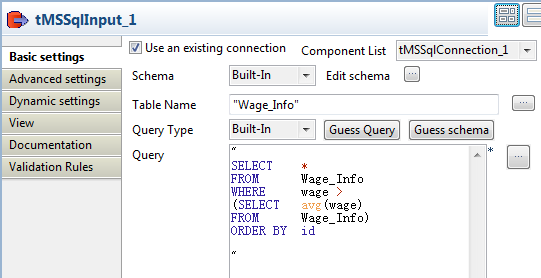
-
Select the Use an existing connection check
box. If multiple connections are available, select the connection you want to
use from the Component List drop-down
list. -
Click Edit schema to define the data
structure to be read from the table. In this example, we need to read all three
columns from the table.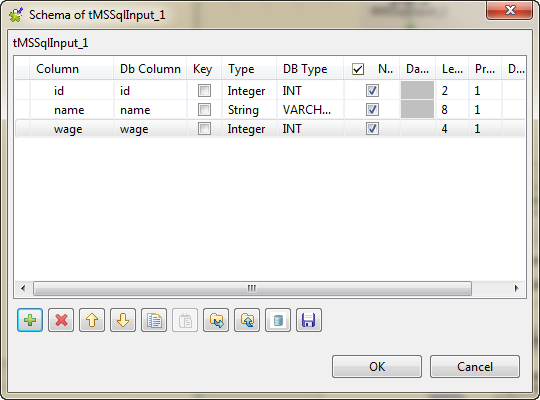
-
In the Table Name field, type in the name of
the table you want to read the data from: Wage_Info in this example. -
In the Query field, fill in the SQL query to
be executed on the table specified. To obtain the data of employees whose wages
are above the average value and order them by id, enter the SQL query as
follows:SELECT *
FROM Wage_Info
WHERE wage >
(SELECT avg(wage)
FROM Wage_Info)
ORDER BY id
Document get from Talend https://help.talend.com
Thank you for watching.
Subscribe
Login
0 Comments