Finalizing the Job and executing it
-
Double-click each of the tLogRow
components to display the Basic
settings view and define the component properties. -
Save your Job and press F6 to execute
it.You can see that records are grouped together in three different groups.
Each record is listed in one of the three groups according to the value of
the group score which is the minimal distance computed in the group.The identifier for each group, which is of String
data type, is listed in the GID column next to the
corresponding record. This identifier will be of the data type
Long for Jobs that are migrated from older
releases. To have the group identifier as String, you
must replace the tMatchGroup component in
the imported Job with tMatchGroup from the
studio Palette.The number of records in each of the three output blocks is listed in the
GRP_SIZE column and computed only on the master
record. The MASTER column indicates with true or false
if the corresponding record is a master record or not a master record. The
SCORE column lists the calculated distance between
the input record and the master record according to the Jaro-Winkler and Jaro matching algorithms.The Job evaluates the records against the first rule and the records that
match are not evaluated against the second rule.All records which group score is between the match interval,
0.95 or 0.85 depending on the
applied rule, and the confidence threshold defined in the advanced settings
of tMatchGroupare listed in the Suspects output flow.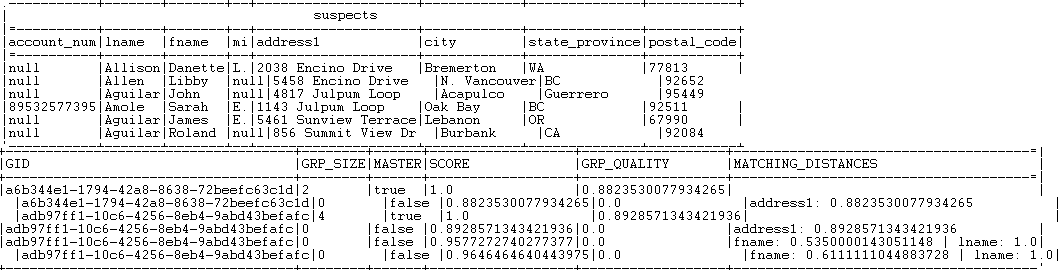 All records which group score is above one of the match probabilities are
listed in the Matches output flow.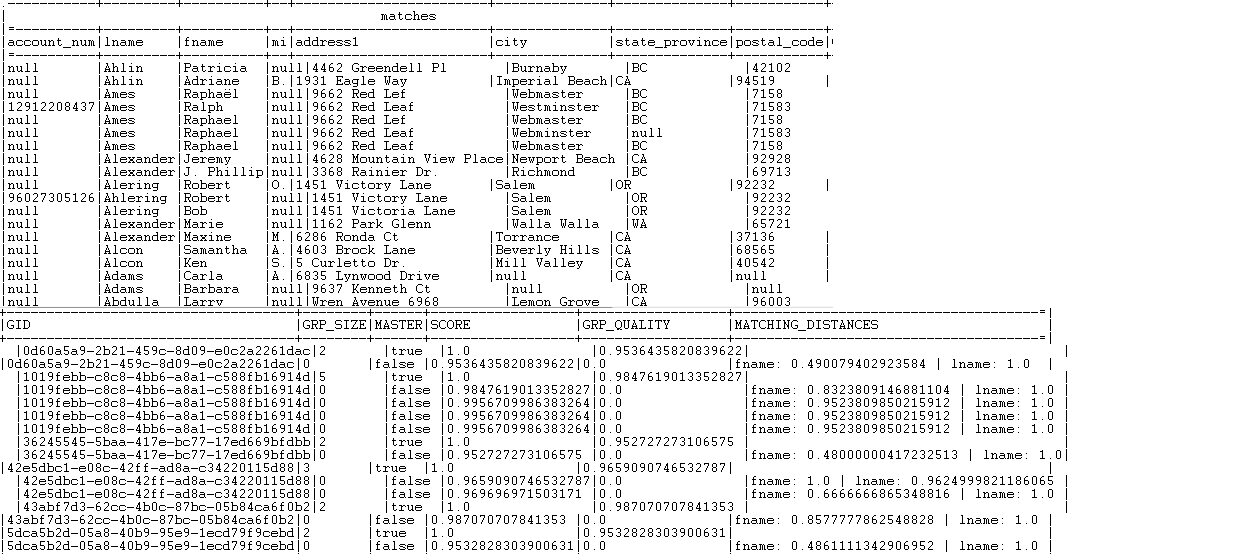 All records that have a group size equal to 1 is listed in the Uniques output flow.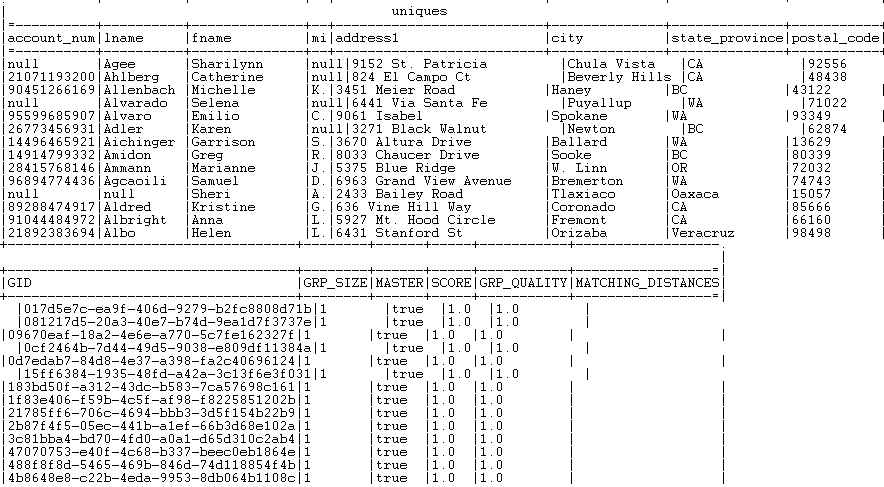
For another scenario that groups the output records in one single output flow
based on a generated functional key, see Scenario 2: Comparing columns and grouping in the output flow duplicate records that have the same functional key.
Document get from Talend https://help.talend.com
Thank you for watching.
Subscribe
Login
0 Comments