Inserting the employee data into a MySQL table using SCD
using SCD (Slowly Changing Dimensions).
-
Double-click the first tFixedFlowInput
component to open its Basic settings view.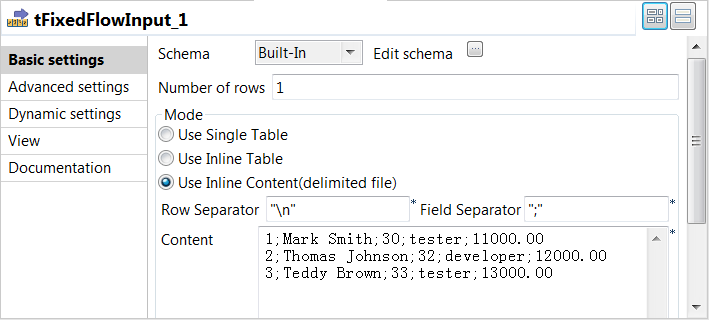
-
Click the

button next to Edit schema and
in the pop-up window define the schema by adding five columns: id and age of
Integer type, name and role of String type, and salary
of Double type.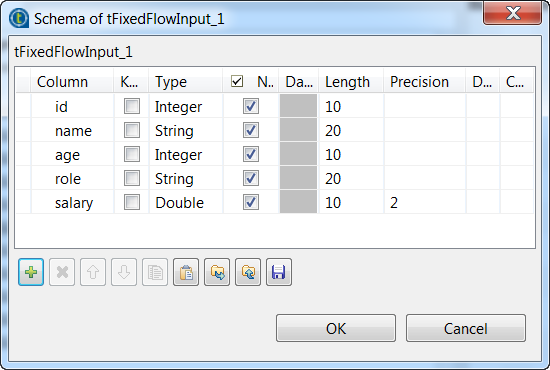 When done, click OK to save the changes. In the
pop-up dialog box, click Yes to propagate the
schema to the next component. -
In the Mode area, select Use Inline Content (delimited file). Then in the
Content field displayed, enter the following
input employee data.12341;Mark Smith;30;tester;11000.002;Thomas Johnson;32;developer;12000.003;Teddy Brown;33;tester;13000.00 -
Click the first tMysqlSCD component to
open its Basic settings view.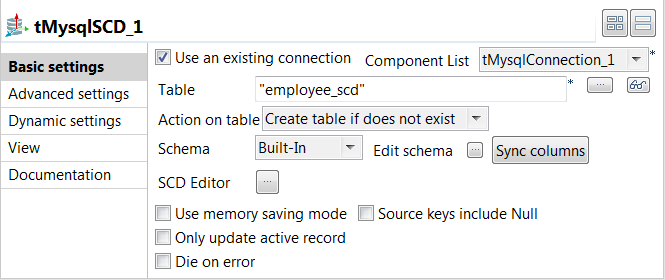
-
Select the Use an existing connection
check box and from the Component List drop-down
list displayed, select the connection component you have configured. -
In the Table field, enter the name of
employee_scd. -
Click the
button next to SCD Editor to
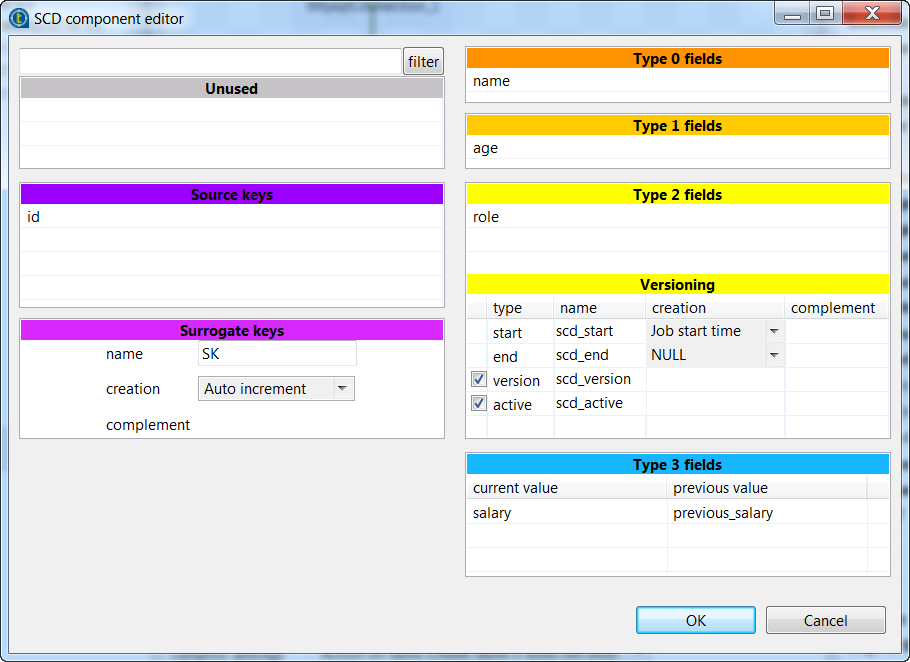
open the SCD editor. All schema columns are listed on the Unused panel. -
In the name field on the Surrogate keys panel, enter the name for the surrogate
key, SK in this example. -
From the Unused panel, drag and
drop-
id to the Source keys panel to use it as the key to
ensure the unicity of the input data, -
name to the Type
0 fields panel and no special action will be performed upon
dimension changes of it, -
age to the Type 1
fields panel to perform Type 1 SCD on it, -
role to the Type
2 fields panel to perform Type 2 SCD on it, and -
salary to the Type 3 fields panel to perform Type 3 SCD on it.
-
-
In the Versioning panel, select the
version check box to hold the version numbers
for the historical and current records in the SCD table, and select also the
active check box to add the column that will
hold the True value for the current active record
or the False value for the historical records in
the SCD table.When done, click OK to save the changes and close
the SCD editor.