Posting the parameter
-
Double-click tHttpRequest to open its
Component view.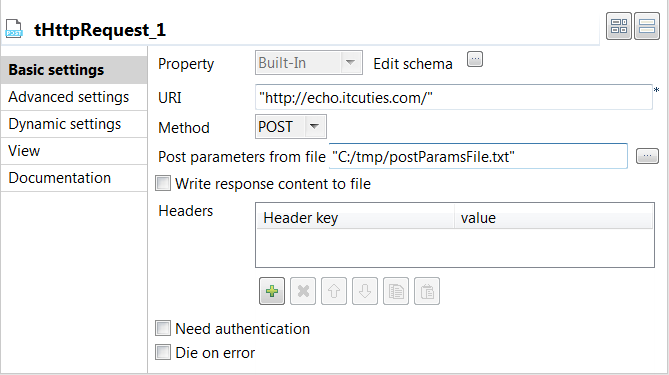
-
In the URI field, enter the server
address to which the parameter is to be sent. In this scenario, it is
http://echo.itcuties.com/. - From the Method list, select POST.
-
In the Post parameters from file field,
browse, or enter the path to the flat file that contains the parameter to be
used. As defined earlier with the tFileOutputDelimited component, this path is C:/tmp/postParamsFile.txt.
Document get from Talend https://help.talend.com
Thank you for watching.
Subscribe
Login
0 Comments