Remove files from MongoDB GridFS
-
Double-click tMongoDBGridFSDelete to open its
Component view.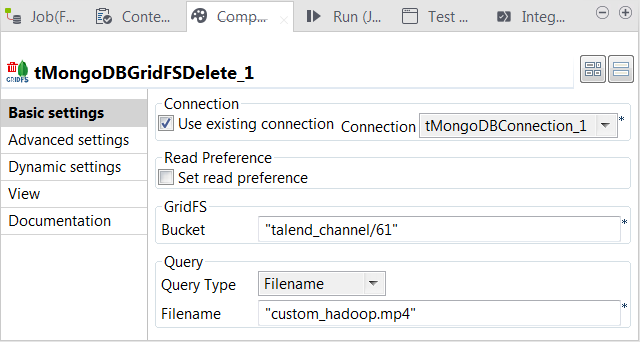
-
Select the Use existing connection check box
and from the Connection list, select the
component in which the MongoDB connection to be used is defined. -
In the Bucket field, enter the bucket in
which the files to be deleted are stored. In this example, it is talend_channel/61. -
From the Query type list, select the approach
you want to use to select the files to be deleted. In this example, select
Filename to use the filename attribute of each GridFS file for query. -
In the Filename field, enter the name of the
file to be deleted.
Document get from Talend https://help.talend.com
Thank you for watching.
Subscribe
Login
0 Comments