Selecting the most downloaded product
-
Double-click tTop to open its
Component view.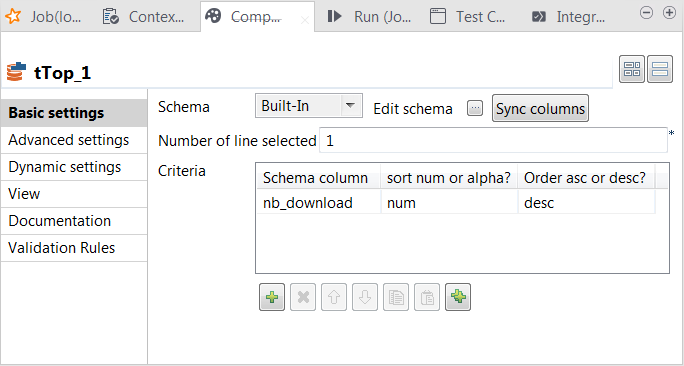
-
In the Number of line selected field, enter
the number of rows to be output to the next component, counting down from the
first row of the data sorted by tTop. -
In the Criteria table, added one row by
clicking the [+] button. -
In the Schema column column, select nb_download, the column for which the data is sorted,
in the sort num or alpha column, select
num, which means the data to be sorted are
numbers, and in the Order asc or desc column,
select desc to arrange the data in descending
order.
Document get from Talend https://help.talend.com
Thank you for watching.
Subscribe
Login
0 Comments