Setting up the DB connection
-
Drop tPaloRule from the component
Palette onto the design
workspace. -
Double-click the tPaloRule component to
open its Component view.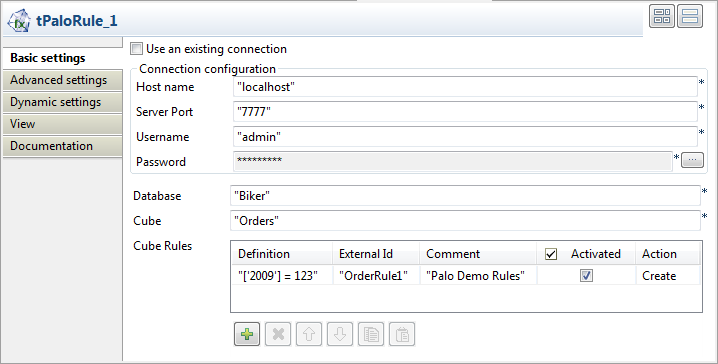
-
In the Host name field, type in the host
name or the IP address of the host server, localhost
for this example. -
In the Server Port field, type in the
listening port number of the Palo server. In this scenario, it is
7777. -
In the Username field and the Password field, type in the authentication
information. In this example, both of them are
admin. -
In the Database field, type in the
database name in which the dimensions applying the created rules reside,
Biker in this example. -
In the Cube field, type in the name of
the cube which the dimensions applying the created rules belong to, for
example, Orders.
Document get from Talend https://help.talend.com
Thank you for watching.
Subscribe
Login
0 Comments