Transliterating data
-
Double-click tTransliterate to display the
Basic settings view and define the component
properties.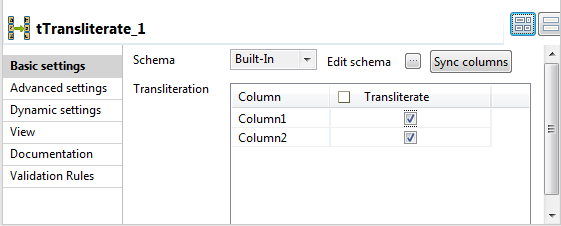
-
If required, click Sync columns to retrieve
the schema defined in the input component.In this example, only the first two columns are processed. You can click the
Edit schema button to open the schema dialog
box and see the input and output schemas.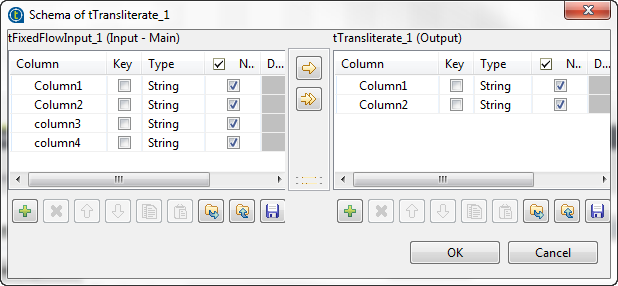
-
In the Transliteration table of the component
basic settings view, select the check boxes next to the columns you want to
convert to standard characters.
Document get from Talend https://help.talend.com
Thank you for watching.
Subscribe
Login
0 Comments