Applying the classification model
-
Double-click tClassify to open its
Component view.
-
Select the Model on filesystem radio button and enter the
directory in which the classification model to be used is stored.The tClassify component contains a read-only column called
label in which the model provides the
classes to be used in the classification process, while the reallabel column retrieved from the input schema
contains the classes to which each message actually belongs. The model will
be evaluated by comparing the actual label of each message with the label
the model determines.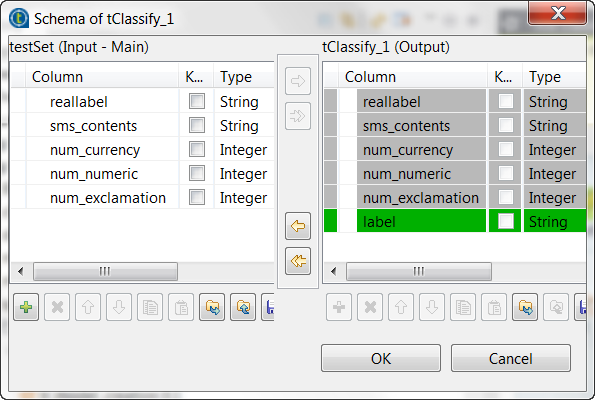
Document get from Talend https://help.talend.com
Thank you for watching.
Subscribe
Login
0 Comments