Applying the matching model on the data set
-
Double-click tMatchPredict to display the Basic
settings view and define the component properties.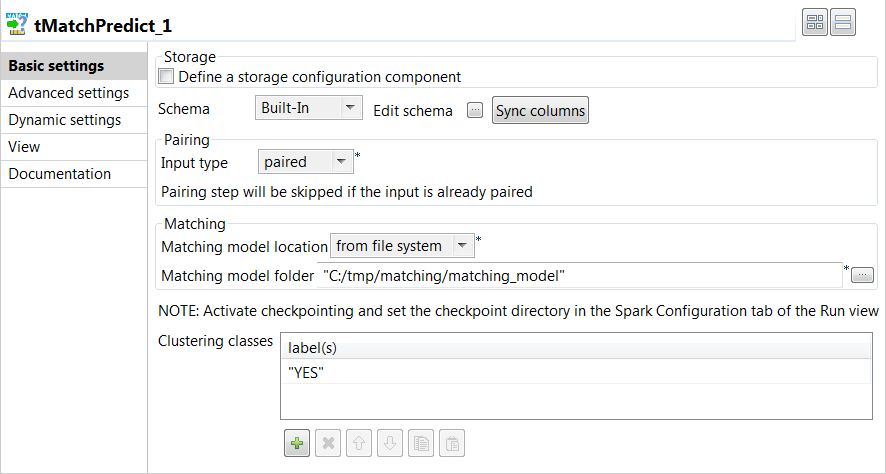
-
Click Sync columns to
retrieve the schema defined in the input component. -
From the Input type
list, select paired as the input data is
already paired with tMatchPairing. -
From the Matching model
location list, select from file
system and then set the path to the matching model in the
folder field. -
In the Clustering
classes table, add one or more of the labels you used on the
sample suspects generated by tMatchPairing, YES in this
example.The labels were set manually or through Talend Data Stewardship.
The tMatchPredict component will group suspect records
which match the YES label.
Document get from Talend https://help.talend.com
Thank you for watching.
Subscribe
Login
0 Comments