Calculating the average
-
Double-click tAggregateRow to open its
Component view.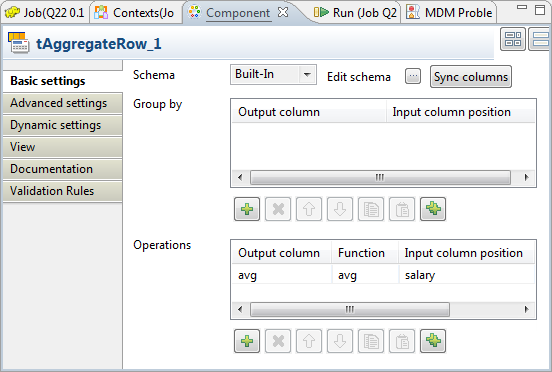
- Click the […] button next to Edit schema to open the schema editor.
-
In the table of the tAggregateRow schema, click the [+] button once to add one row and in the Column column, rename it to
avg. -
In the Type column of
the salary row, select Double. -
Click OK to validate these changes and
accept the propagation prompted by the pop-up dialog box. -
Under the Operations table,
click the [+] button to add one row and
configure the following columns of this row to define the calculation of the
average salary.Column
Description
Output column
Select the column of the output schema in which the average salary is stored. In this
scenario, it is avg.Function
Select the avg function to calculate the average.
Input column position
Select the column of the input schema used to provide the source data
of the calculation.
Document get from Talend https://help.talend.com
Thank you for watching.
Subscribe
Login
0 Comments