Configuring basic settings of tMDMOutput to write staging data into MDM
-
In the design workspace, click tMDMOutput to open
its Basic settings view.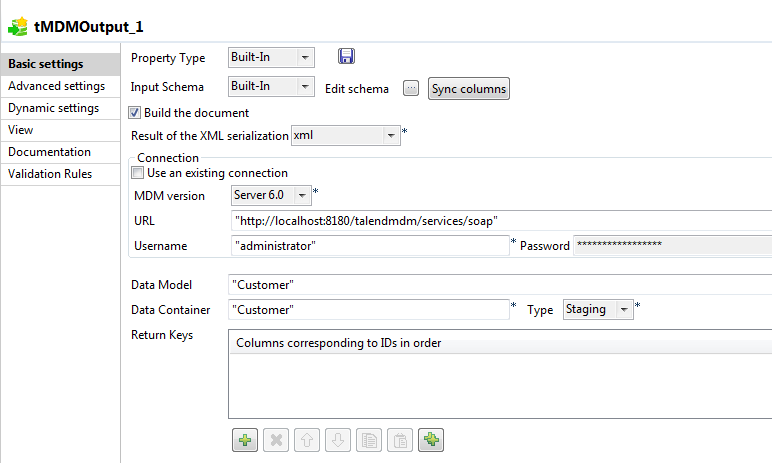
- Enter the user name and password for accessing the MDM server.
-
In the Data Model field, enter between quotes the
name of the data model against which you want to validate the staging data you want
to write. In this example, enter Customer between
quotes. -
In the Data Container, enter
Customer between quotes. - Select Staging from the Type list.
- Leave other options as default.
Document get from Talend https://help.talend.com
Thank you for watching.
Subscribe
Login
0 Comments