Configuring file existence verification
-
Double-click the tSCPFileExists component
to open its Basic settings view.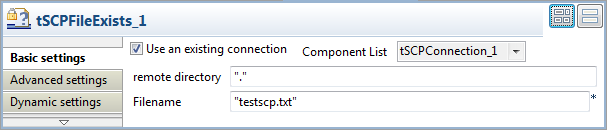
-
Select the Use an existing connection
check box and then select the connection you have configured from the
Component List. -
In the Filename field, enter the name of
the file to be checked between double quotes. In this example, it is
“testscp.txt”. -
Double-click the tJava component to open
its Basic settings view.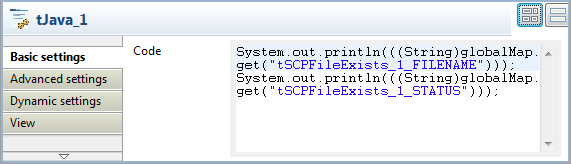
-
In the Code field, enter the following
code:12System.out.println((String)globalMap.get("tSCPFileExists_1_FILENAME"));System.out.println((String)globalMap.get("tSCPFileExists_1_STATUS")); -
Select the Component tab and click the
If connection to open its Basic settings view.
-
In the Condition field, enter the
following code:1!((String)globalMap.get("tSCPFileExists_1_STATUS")).equals("File exists.")This way, if the file doesn’t exist in the defined directory, the rest of
the Job will be executed.
Document get from Talend https://help.talend.com
Thank you for watching.
Subscribe
Login
0 Comments