Configuring result display
-
Double-click the tMysqlInput component to
open its Basic settings view.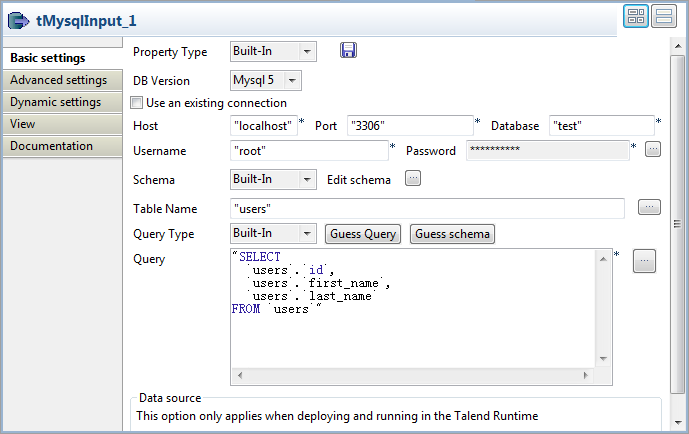
-
Specify the database connection details, table name and table schema,
which are the same as in the tMysqlOutput
component. -
Click the Guess Query button to fill the
Query field with the query
statement. -
Double-click the tLogRow component and
select the Table option to display the
content of the database in table cells.
Document get from Talend https://help.talend.com
Thank you for watching.
Subscribe
Login
0 Comments