Configuring the iteration
-
Double-click tHDFSList to open its
Component view.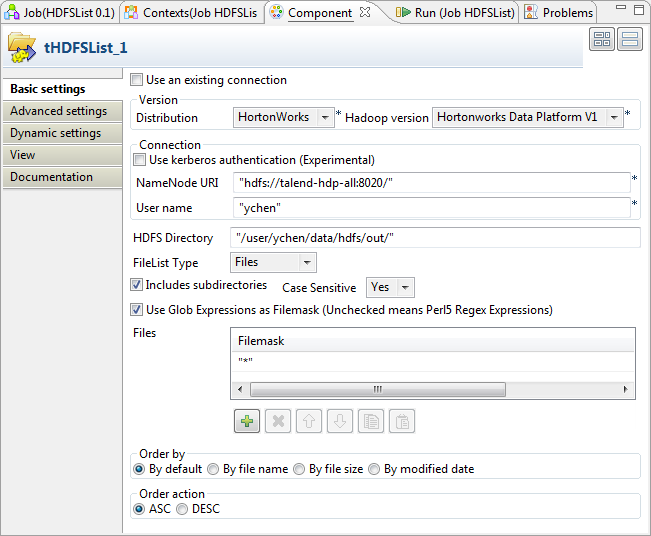
-
In the Version area, select the Hadoop
distribution you are connecting to and its version. -
In the Connection area, enter the values
of the parameters required to connect to the HDFS.In the real-world practice, you may use tHDFSConnection to create a connection and reuse it from the
current component. For further information, see tHDFSConnection. -
In the HDFS Directory field, enter the
path to the folder where the files to be iterated on are. In this example,
as presented earlier, the directory is /user/ychen/data/hdfs/out/. -
In the FileList Type field, select
File. -
In the Files table, click

to add one row and enter * between the quotation marks to iterate on any files
existing.
Document get from Talend https://help.talend.com
Thank you for watching.
Subscribe
Login
0 Comments