Configuring the key generation for the second pass
-
Double-click the second tGenKey to open
the Component view.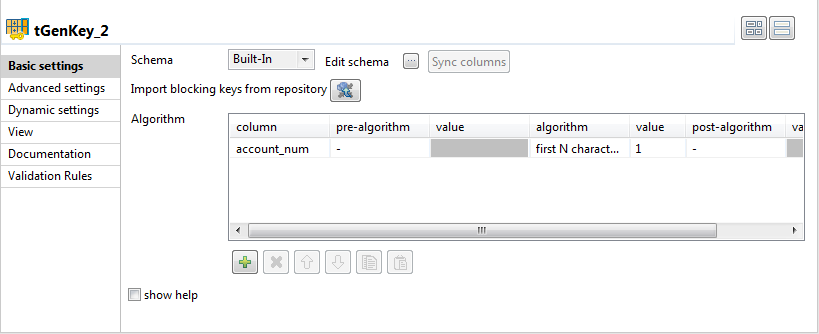
-
In the Algorithm table, define the column
you want to use to partition data, account_num in this
component. Select the first N characters of the
string algorithm and set the value to 1
in the Value column.Each of the two tGenKey components will
generate a read_only T_GEN_KEY column in
the output schema. You must rename one of theT_GEN_KEY columns to stop them from overwriting each
other. -
Double-click the tMap component to open
its editor.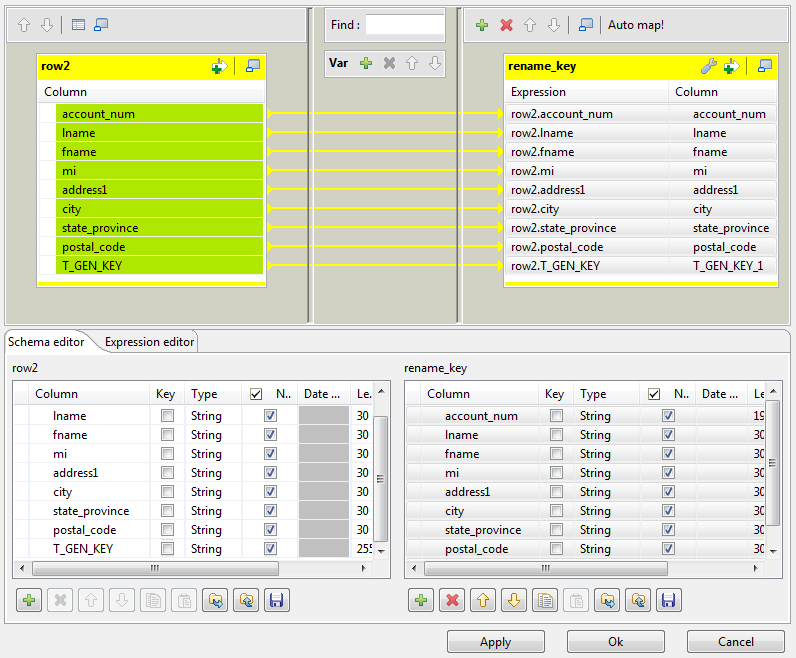
-
In the Schema editor, copy the columns
from the first table onto the second table and rename T_GEN_KEY to T_GEN_KEY1, for example. -
In the top part of the editor, drop all columns from the input table to
the output table. -
Click Ok to save data transformation and
close the editor. -
In the tGenKey basic settings, click the

button to verify that the two generated keys are named
differently in the output schema.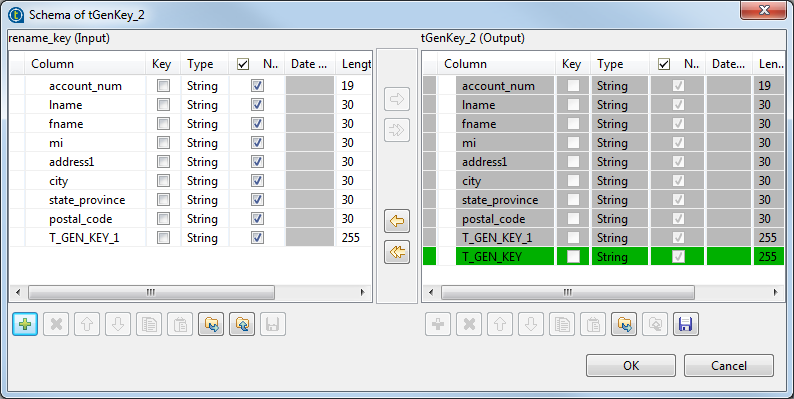
Document get from Talend https://help.talend.com
Thank you for watching.
Subscribe
Login
0 Comments