Configuring the post-job
In the post-job, the tPostjob component does
not have any parameter or property to configure; it just triggers the tFileDelete component after the execution of the main
data Job to delete the temporary file used to store the fetched filenames, which
then triggers the tFileCopy component to name
the backup file back to its original name.
-
In the Basic settings view of the
tFileDelete component, fill the
File Name field with the path and
filename of the temporary file to be deleted, D:/temp/tempdata.csv in this example, and leave the other
parameters as they are.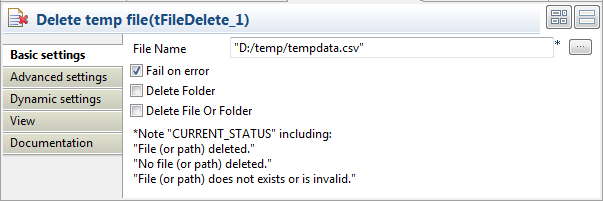
-
Double-click the tFileCopy component to
open its Basic settings view.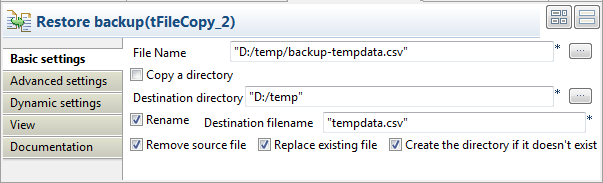
-
Fill the File Name field with the path
and filename of the backup file, D:/temp/backup-tempdata.csv in this example. -
In the Destination directory field,
specify or browse to destination directory, D:/temp/ in this example. -
Select the Rename check box, and specify
the orignal name of the temporary file in the Destination filename field, tempdata.csv. -
Select the Remove source file check box
to remove the backup file after the renaming action. Leave the other
parameters as they are.
Document get from Talend https://help.talend.com
Thank you for watching.
Subscribe
Login
0 Comments