Configuring the query conditions and advanced settings to query staging data
-
In the Operations area, click the [+] button to add one new row, where you can define the query conditions.
-
In the Xpath column, enter
Customer/metadata:staging_status between quotes.In this example, we want to query the staging data that fails to pass the MDM validation
phase due to a validation issue against the data model, and those staging data has the
status of 403. For more information, see the section on working with records in the staging
area in
Talend MDM Web UI User Guide.Note:Unlike elements defined in entities, metadata elements are
built-in elements. To query metadata elements from records in staging database,
you need to follow the format ofmetadata:staging_<source|status|error|blockkey|hastask>when
defining the path expression to select the XML node to run the query on. - Select Equal from the Function list.
- Enter 403 between quotes in the Value column.
- Click the Advanced settings tab.
-
In the Loop XPath query field, enter
/Customer between quotes on which the loop is based. -
In the XPath query column of the Mapping table, enter between quotes the name of the XML node from which you
want to collect the staging data, next to the corresponding output column name.In this example, three elements that pertain to the Customer entity
will be queried: account_num, lname, and
fname.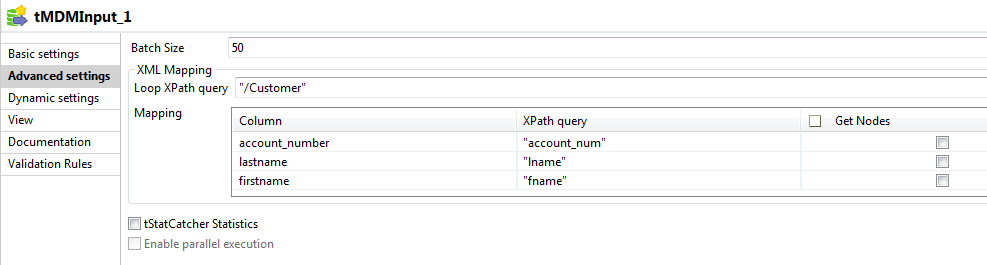
Document get from Talend https://help.talend.com
Thank you for watching.
Subscribe
Login
0 Comments